SyntaxError keeps appearing in Python code? Fix it immediately with these 5 ways
Have you been staring at your Python code for the past half hour, only to see that same old, irritating red sign (syntax error: invalid syntax) flash across your screen?
You're not alone! It's natural to feel frustrated when code won't run. But wait... there's no need to bang your head on the keyboard. A syntax error simply means you've made a minor mistake in Python's grammar.
In this quick guide, we'll uncover five hidden mistakes that cause this error to occur frequently, and show you how to fix them in a jiffy. (The fourth method is something 90% of beginners get wrong!)

The missing colon(:)
Python is very straightforward and clean, but it's very strict about its rules. Whenever you type if, else, for, while, def (function), or class, Python expects you to end the line with a colon (:). Forgetting this will result in a red flag.
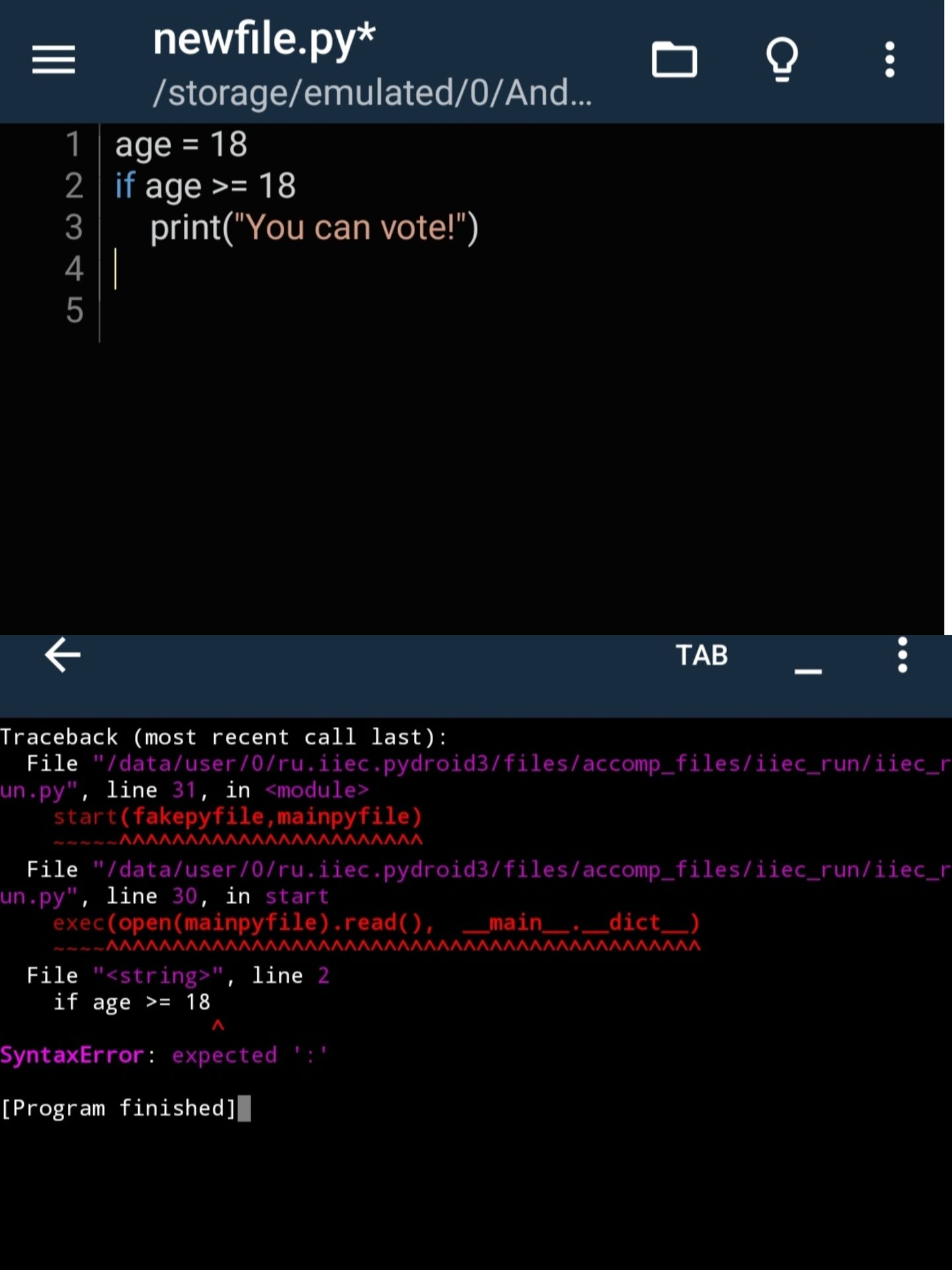
- Wrong code (that will make your head spin):
age = 18
if age >= 18
    print("You can vote!")
- Right code (which will run immediately):
age = 18
if age >= 18:
    print("You can vote!")
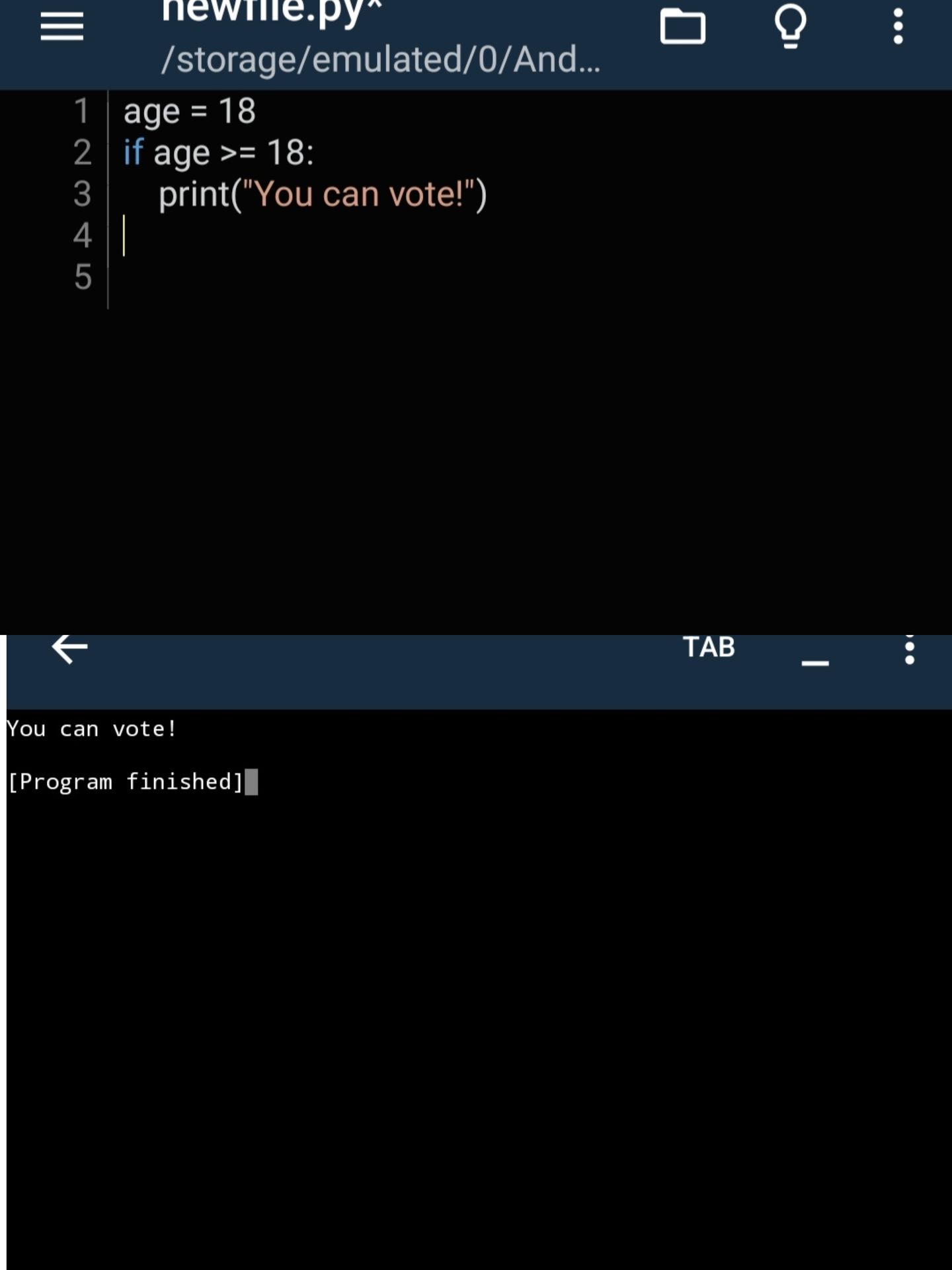
Fix No. 1: Always check if your conditional or loop line ends with :?
2. Unclosed Quotes & Parentheses
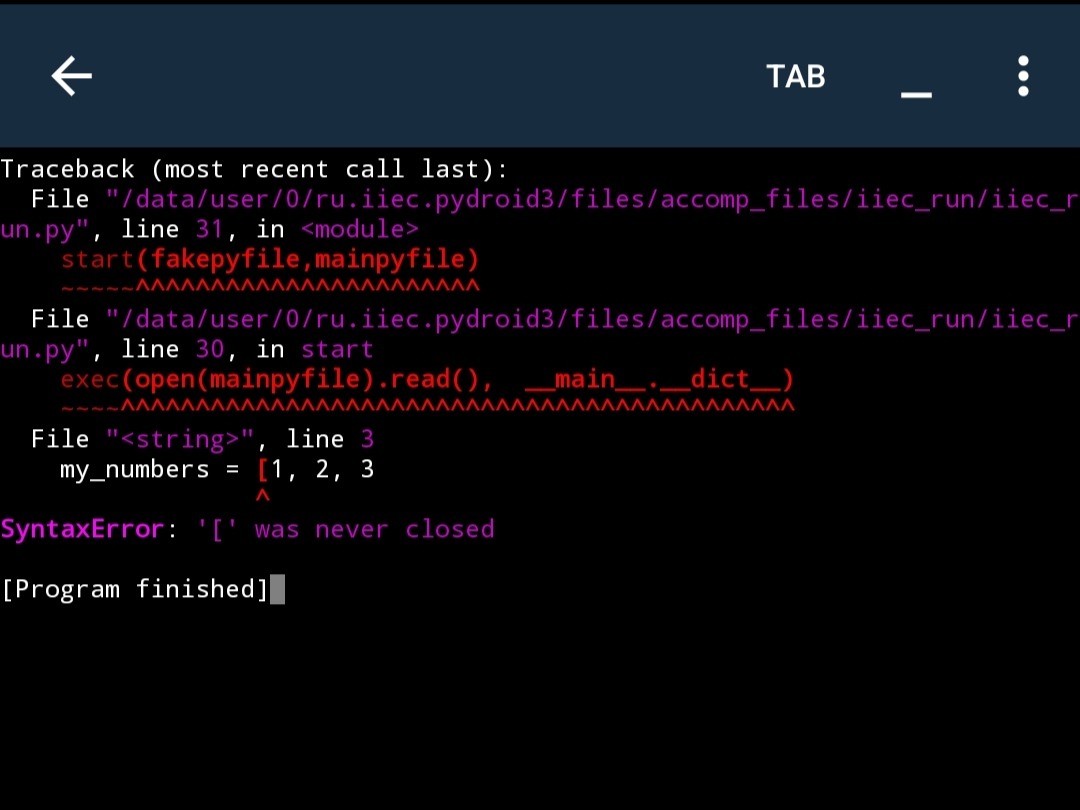
Whether you're writing a print() statement or creating a long list, any open brackets or inverted commas ("...") must be closed. Python doesn't tolerate incompleteness!
- Wrong code:
print("Hello friends, learn coding!")
# or else
my_numbers = [1, 2, 3
- Right code:
print("Hello friends, learn coding!")
# or else
my_numbers = [1, 2, 3]
Fix No. 2: If the error keeps coming, go back in the line and check if any (, [, { or " were left open.
3. Misspelled Keywords
Python has some reserved words called keywords (such as True, False, while, import). If you misspell them or change the case (Capital/Small), Python won't recognize them.
💡 Key Point: If you want to understand all the Python keywords in detail so that you don't make this mistake again, read our previous article [Read the complete list of Python Keywords here].
- Wrong code:
- whlie x < 5: (While the spelling is wrong)
- if x == true: (True should have a capital T.)
- Right code:
while x < 5:
4. The maze of single = vs double ==
This is a mistake that can make even the best developers dizzy.
- single = means assigning a value:
(e.g., x = 5).
- double == means comparing
(e.g., if x == 5).
If you use a single = inside an if condition, Python will immediately throw a SyntaxError.
- Wrong code:
score = 100
if score = 100:
    print("Perfect!")
- Right code:
score = 100
if score == 100:
    print("Perfect!")
5. Indentation Mix-up
While spacing errors typically result in an Indentation error, sometimes unwanted symbols in the middle of code, a space in the wrong place, or a tab can confuse Python and cause it to be interpreted as a Syntax error. Always keep your code aligned.
👍Bonus Challenge: Can you fix this code? (Mini Quiz)Now let's see what you learned from this article! The code below has a syntax error.
def say_hello(name)
    print("Welcome " + name)

say_hello("techpulse Ai")
😎Did you spot the mistake? Type your answer in the comments below. Let's see whose logic is the sharpest!
Latest Stories
Explore fresh ideas and updates from our editorial team.