All 35 Python Keywords: Learn the Complete ABCs of Coding with Pydroid 3!
If you're learning Python programming, you might have noticed something when you type certain words like if, else, or import in the Pydroid 3 app, their color automatically changes!
Why is this? Because these words are reserved keywords in the Python language. Their meaning and function are pre-defined in the Python software. You cannot use them to name variables or functions.
There are 35 main keywords in Python. If you understand the meaning of these 35 words, you've learned half of Python. Let's understand them in simple terms based on their functions:
1. True, False, None (keywords indicating values)
These three keywords always represent some value. Remember, of the 35 keywords, only these three have a capitalized first letter.
- true: This means 'true' or yes. (eg: is_logged_in = True)
- False: It means 'lie' or not.
- none: It means 'nothing' or empty.
2. if, elif, else (conditional keywords)
These are used when a decision has to be taken in the program (Decision Making).
- if: If any condition is true, run this code.
- elif: (Else If) If the first condition is false, check this second condition.
- else: If all the above conditions are false, run this last code.
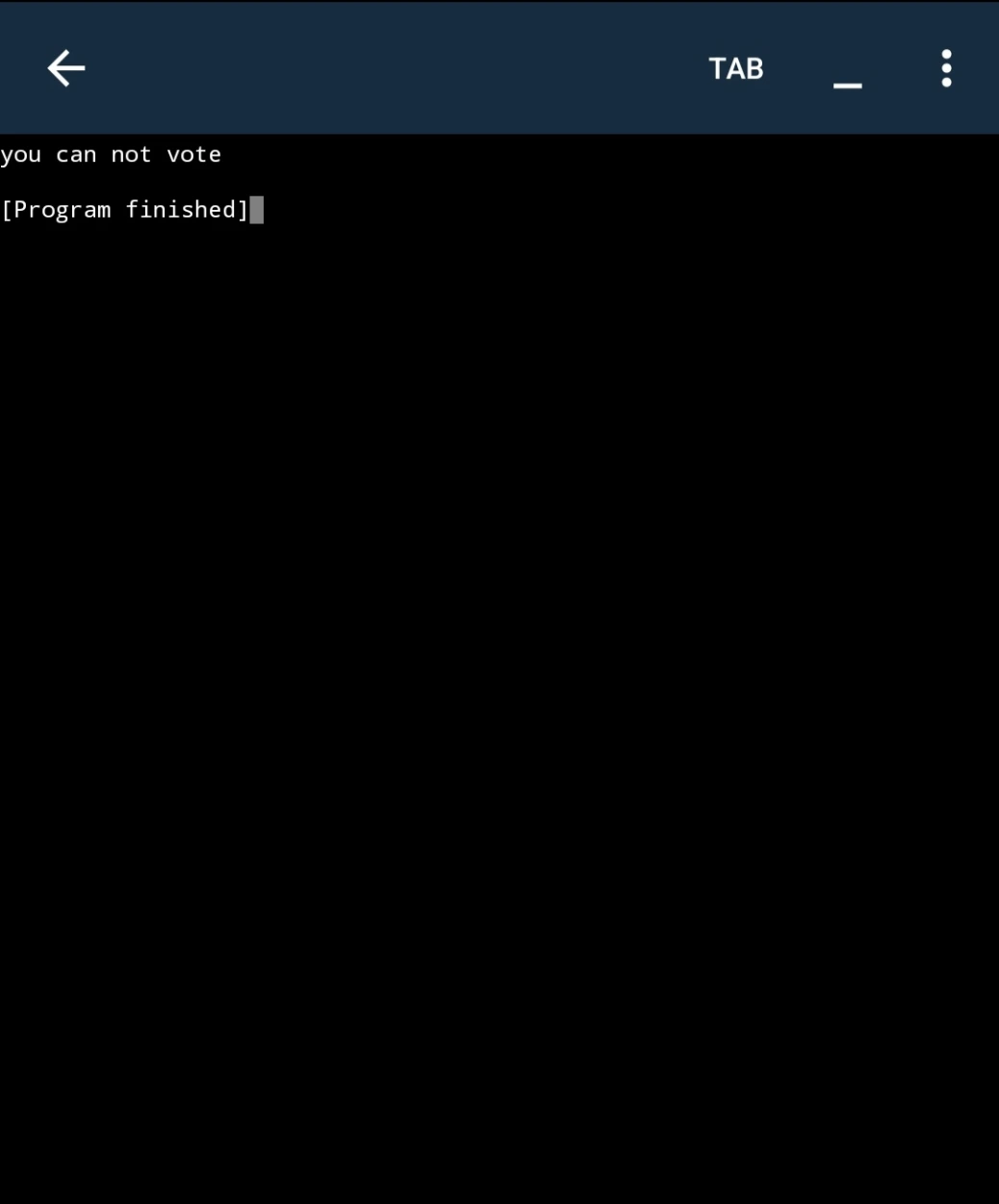
pydroid 3 Practical Example:
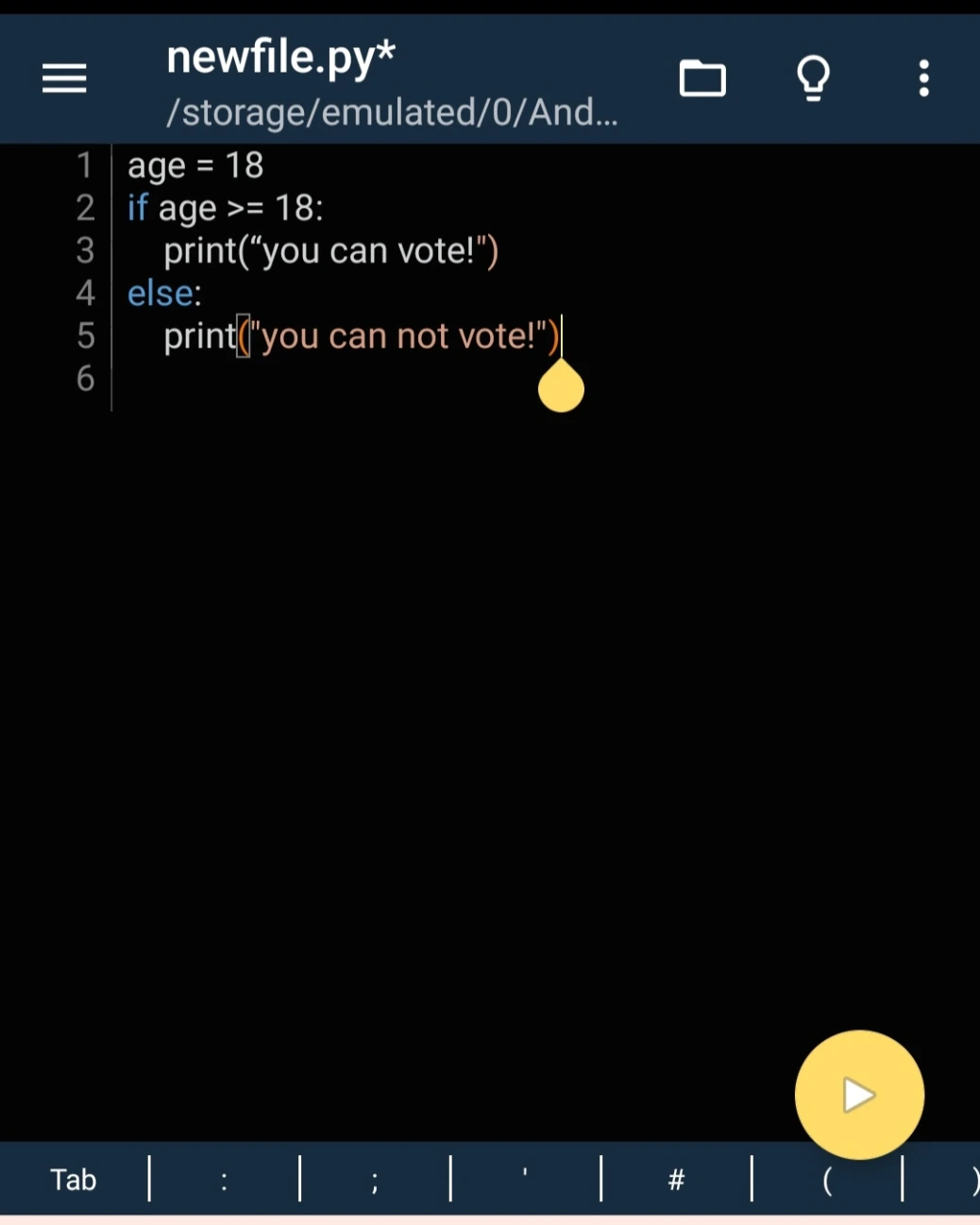
age = 18
if age > 18:
    print("you can vote")
else:
    print("you can not vote")
3. and, or, not (Logical Operators)
These are used to connect conditions.
- and: The operation will only take place if both conditions are true.
- or: The operation will take place if either condition is true.
- not: It does the opposite, turning truth into falsehood and falsehood into truth.
4. for, while, break, continue, in, pass (Loop and Control Keywords)
When you want to repeat code (run a loop).
- for: To run a loop for a specified number of times.
- while: To run a loop as long as a condition is true.
- break: To forcibly stop a loop midway.
- continue: To skip the current loop and jump to the next one.
- in: To check whether something is present in a list.
- pass: This is an empty keyword. When you want to leave a block of code empty so that an error does not occur, you use pass.
5. def, return, lambda (function creation keywords)
To break up code into chunks and reuse them.
- def: To start a new function.
- return: To return the result or output of a function.
- lambda: To create a short, one-line (anonymous) function.
6. import, from, as (for adding external libraries)
When we need to use advanced code from others or already created.
- import: To include a module or library in our code.
- from: To extract a specific part from within a larger library.
- as: To give a shorter alias (alias) to a longer name (e.g., import math as m).
7. class, object, is (Object Oriented Programming - OOPs)
For advanced coding and creating structures.
- class: To create a new class, which is a blueprint for objects.
- is: To check whether two variables point to the same object.
8. try, except, finally, raise, assert (for correcting errors)
So that your app or program doesn't crash mid-execution.
- try: This block contains code that is likely to cause errors or errors.
- except: If an error occurs in the try block, this block handles it and displays a nice message to the user.
- finally: This code will run regardless of whether an error occurs (such as closing a file).
- raise: To generate an error or exception yourself.
- assert: To test or debug the code (if the condition is false, an error occurs).
9. global, nonlocal (To define the scope of a variable)
- global: To change an external variable from within a function.
- nonlocal: To change an external variable from within a function (a function within a function) in nested coding.
10. del, with (management keywords)
- del: To delete a variable or object from memory.
- with: To safely open and close files (for clean-up code).
11. async, await (Super Advanced Keywords)
- async: To create an asynchronous function that can run without interruption in the background.
- await: To wait for an asynchronous function to complete.
If you haven't seen the previous article, please check it out.
Link= Learn Python on Mobile: Step-by-Step Guide for Students (Zero to Hero)
💡 Watch the magic live in Pydroid 3:
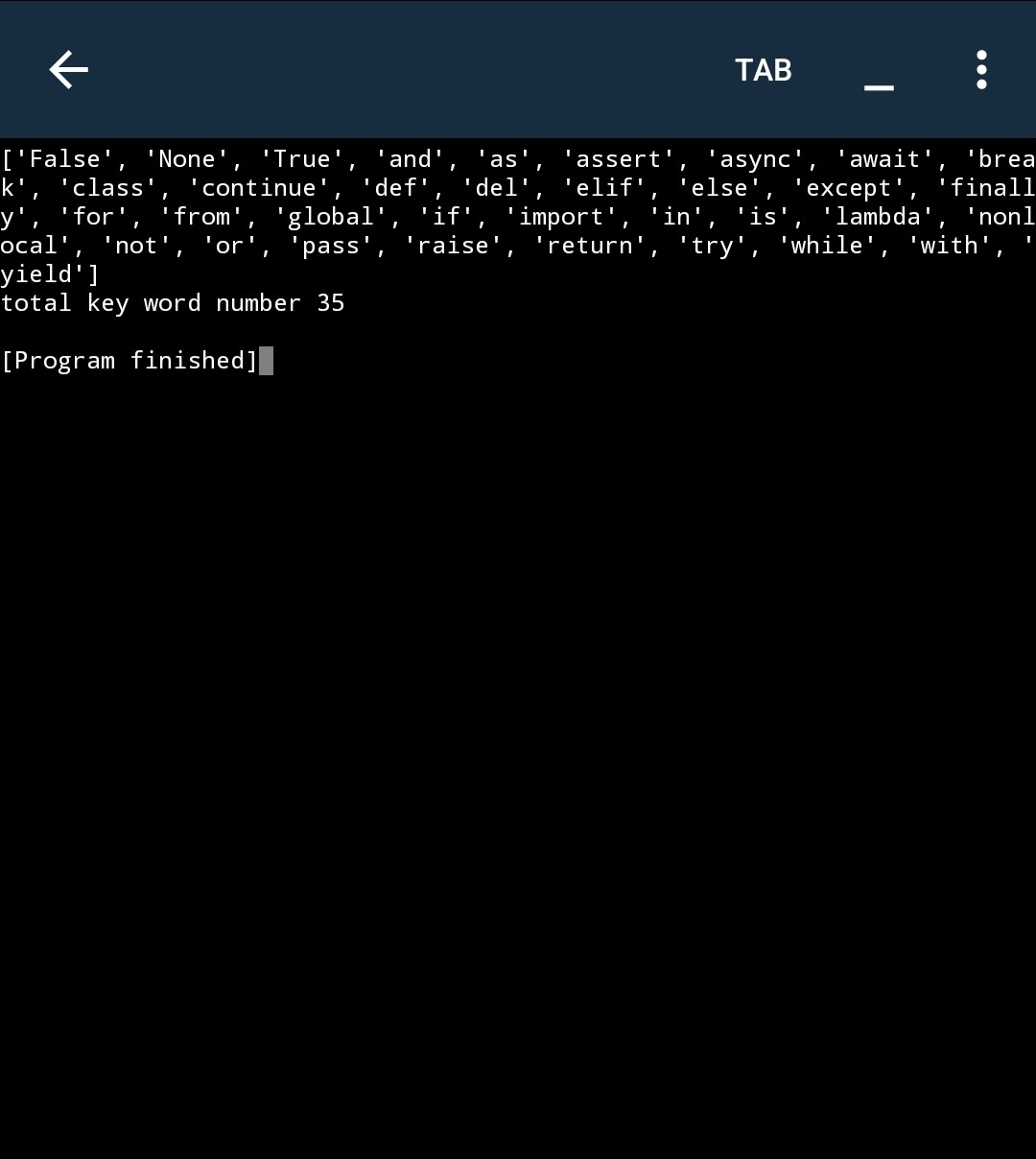
To see a list of all 35 keywords at once, open the Pydroid 3 app on your phone and run this small piece of code:
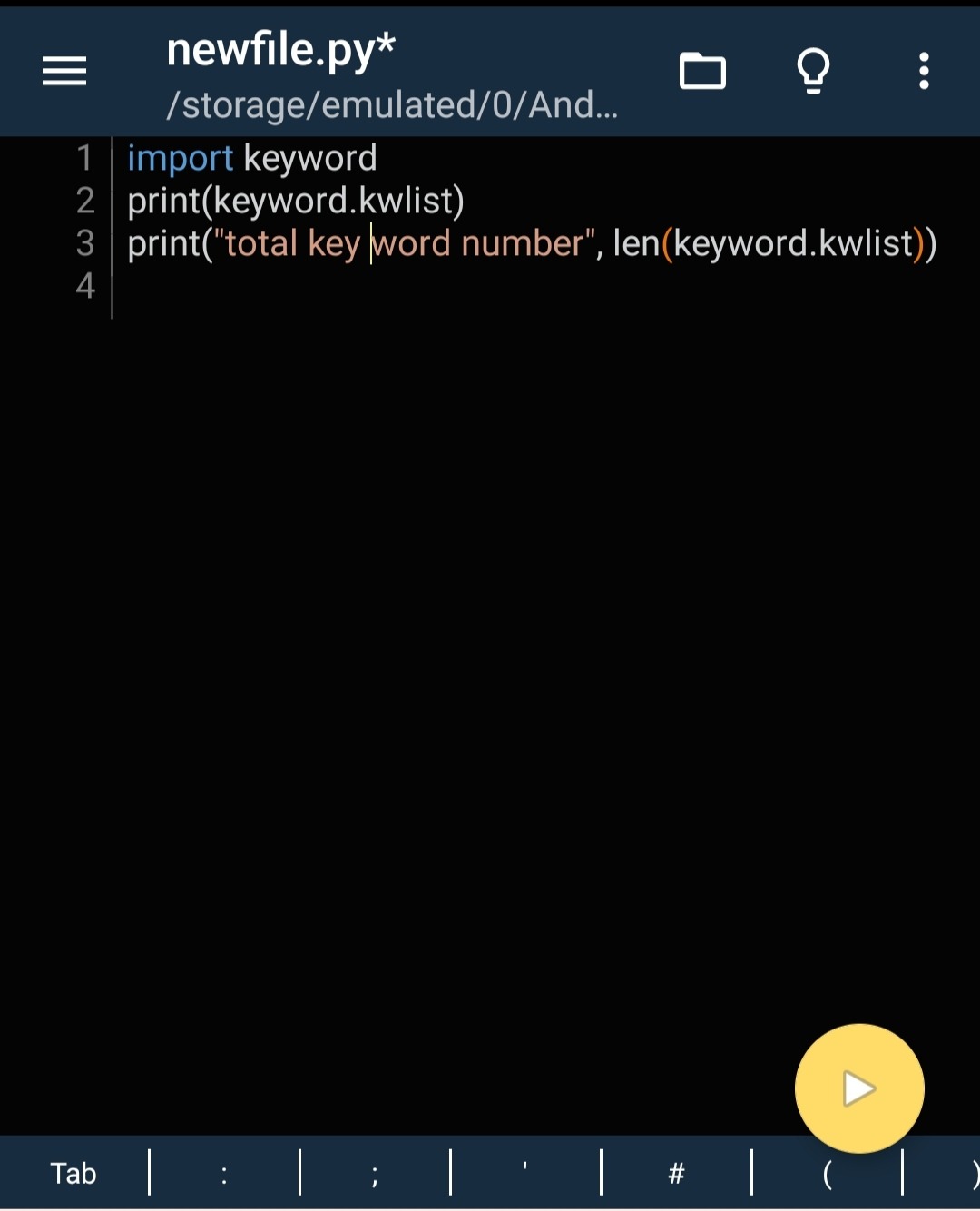
import keyword
print(keyword.kwlist)
print("total key word number", len(keyword.kwlist))
Today's Challenge (Homework)
In the comments section below, tell us which three keywords out of the total 35 always have a capital letter in the first letter. Let's see who was reading carefully!
Latest Stories
Explore fresh ideas and updates from our editorial team.