What is Python coding? How do I start my coding journey on my mobile device?
Today, Python has become the world's most popular and easiest coding language. Whether it's artificial intelligence, game development, or website design, Python is everywhere.
If you don't have a laptop or computer, no worries! Today, we'll learn how to write and run Python code like a pro using your smartphone.
Why should one learn Python?
- Easy to learn = Its words are as simple as any other word.
- Smartphone Ready: No need for a heavy computer, it runs smoothly on mobile apps as well.
Step 1: How to set up Python on mobile?
First, follow these steps to turn your phone into a coding machine:-
- Go to the Play Store on your mobile.
- They search for Pydroid 3, IDE for Python 3 and install it.
- When you open the app you'll see a blank screen. This is your code editor!
- You can use it even if you are offline.
You can use another IDE:-
- If you're online, use Replit.
- It will suggest the code on Cursor before you type the code.
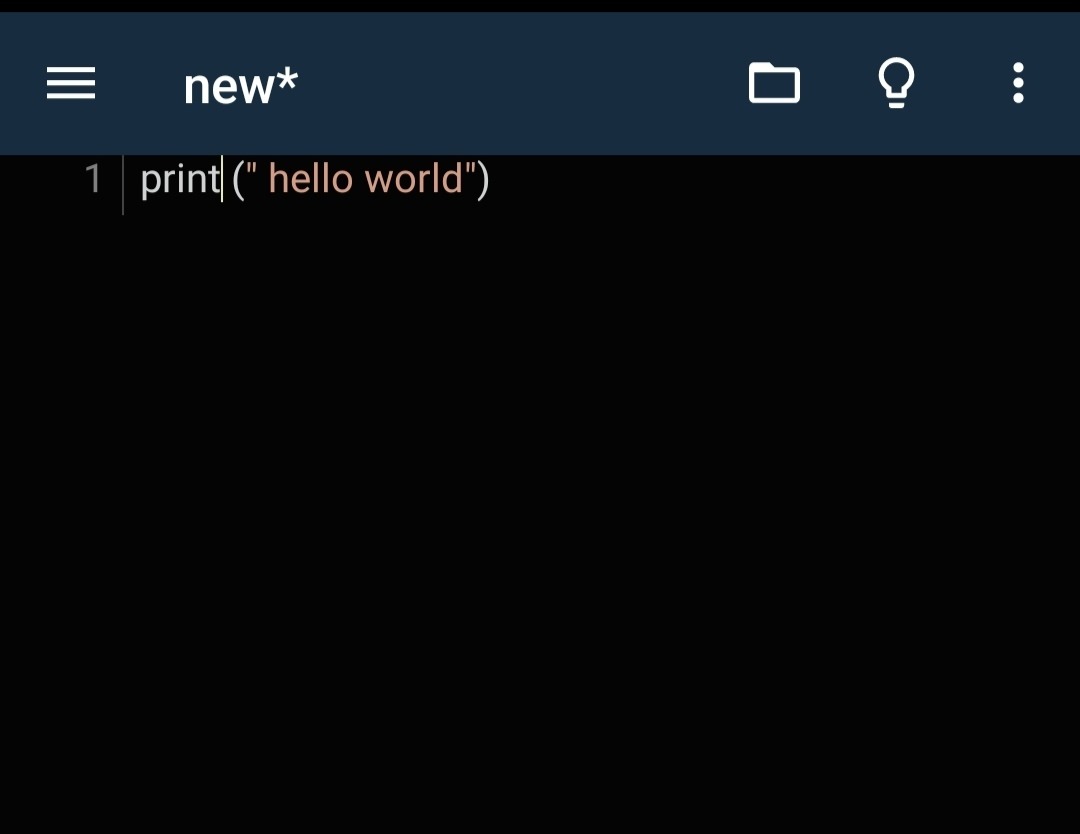
Step 2: Write Your First Python Program (Hello World)
There's a long-standing tradition in the coding world that whenever we learn a new language, we print "Hello world" on the screen.
Type the following line on the screen of your Pydroid 3 app or replit app:
Print("hello world")
What does this code do?
print() is a built-in function in Python. Whatever you type inside it, enclosed within double quotes "", will be displayed on the screen as is.
Step 3: How to Run the Code?
- After typing the code, a yellow Play button will appear at the bottom right of the Pydroid 3 app.
- Upon clicking, a black screen (Terminal) will open, where you will see the following:
- Hello world
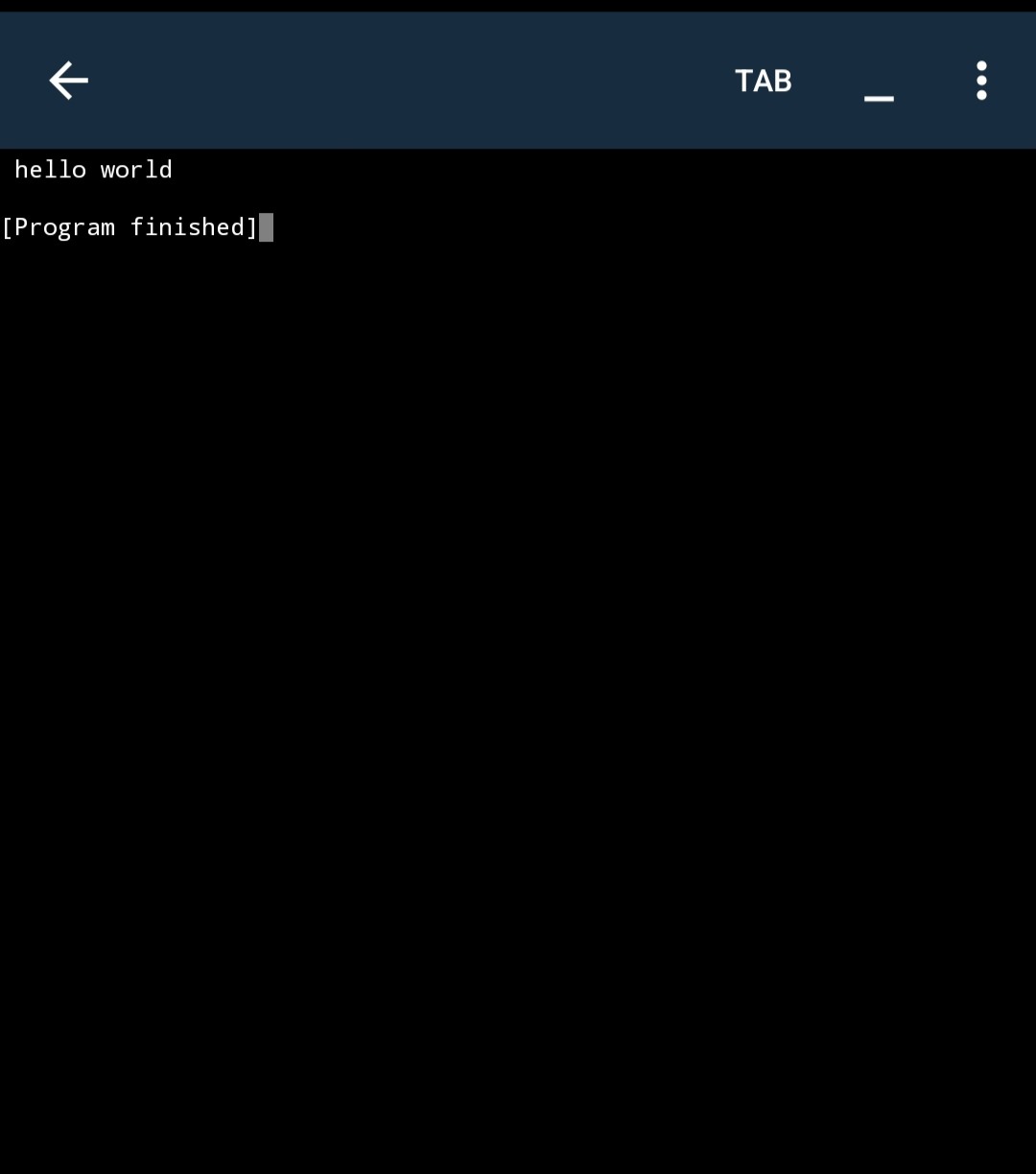
Congratulations! You've created your first successful Python program from mobile.
Today's Challenge (Homework)
Now it's your turn! Remove " hello world" from the code above, enter your name, and run the code. Let us know in the feedback below whether your name was printed on the screen or if an error occurred.
Latest Stories
Explore fresh ideas and updates from our editorial team.